
SOUND LIGHT DOME 16349
|
|
|
- Nathan Osório Mangueira
- 9 Há anos
- Visualizações:
Transcrição

1 Page 1 of 16 Copyright ROMPA Ltd SOUND LIGHT DOME PRODUCT DESCRIPTION A self-contained portable sound to light unit with colour lights and built in CD-player and speaker system. Watch the lights change colour in response to the selected sound source. The sensitivity of the light sequence can be adjusted by the control accessible on the side of the base. CONTENTS 1 x Sound Light Dome with integral power supply 1 x Kettle lead 1 x External microphone Should you wish to purchase additional microphones, please note the ROMPA code for these: ASSEMBLY AND OPERATION 1. Stand the Sound Light Dome on a stable and level surface. 2. Connect the kettle lead to the base of the dome D. D

2 Page 2 of 16 Copyright ROMPA Ltd D 3. Plug the Sound Light Dome into the mains electrical supply. 4. Once plugged in, the lights begin to fuse in response to sound. There is no ON/OFF button. The responsiveness of the Sound Light Dome can be adjusted using the Sensitivity control C. Clap, shout or gently tap the dome to activate a colour change. A LED A indicates that the product is ON. A B C Alternatively switch on the built in CD player, adjusting the volume as required.
3 Page 3 of 16 Copyright ROMPA Ltd 5. If desired, connect the microphone provided to the jack socket B (located between the LED and the Sensitivity control C). This allows the user to obtain a response from voice rather than from the radio/cd player. Turn the sensitivity up. CARE AND MAINTENANCE 1. Wash the exterior of the Sound Light Dome with a slightly soapy cloth. 2. Wipe excess soap away with a damp cloth. 3. Never use solvents or liquid detergent on the surface of the dome. 4. It is extremely unlikely that you will need to change the built in LED lights as these last approximately six years. Therefore we recommend that you do NOT attempt to access the interior of the dome. SAFETY 1. Always supervise the use of this product. 2. The Sound Light Dome is suitable for use on a stable, level, and horizontal surface such as a tabletop. Do not use on the floor without proper supervision. 3. Do not attempt to move the Sound Light Dome when it is in operation. TECHNICAL SPECIFICATION Internal power supply: 12V DC power supply Supply Voltage 110Vac* to 240Vac 50/60Hz (*UL and CSA approved) Lights: LED lights (life expectancy of over 100,000 hours) TROUBLESHOOTING In the unlikely event of product failure, check the following: that the product is plugged in turn the sensitivity control up

4 Page 4 of 16 Copyright ROMPA Ltd FURTHER INFORMATION ABOUT THE RADIO / CD / MP3 PLAYER
5 Page 5 of 16 Copyright ROMPA Ltd TO REMOVE THE FRONT PANEL OF THE RADIO / CD/ MP3 PLAYER With the power OFF, press the DCP (detachable control panel) panel release button (top left button). BASIC OPERATION OF RADIO / CD / MP3 PLAYER PANEL RELEASE BUTTON Press to release the front POWER BUTTON Press to turn ON/OFF DISPLAY BUTTON To view band, frequency etc MODE BUTTON Press to select different mode. The sequence is: A Tuner mode (radio) B CD/MP3 (only if a CD or MP3 is inserted) C USB (only if a USB drive is inserted) D SD/MMC (only if a SD or MMC card is inserted) E AUX mode Whenever a USB or SD/MMC is being inserted, the unit will automatically switch to USB or SD/MMC mode, regardless of what mode the unit is in. When in USB or SD/MMC mode, if the USB or SD/MMC is being removed, the unit will automatically switch to the previous mode. FRONT AUX INPUT Connect the external signal to the front 3.5mm earphone jack on the front panel, then press the Mode button to select AUX mode. Press Mode button again to cancel AUX mode and return to previous mode.
6 Page 6 of 16 Copyright ROMPA Ltd RESET BUTTON Press with a ballpoint pen or metal object to reset. Press if all the function buttons do not operate or if there is an error symbol on the display. AUDIO OPERATION ENCODER VOLUME KNOB Use to adjust volume FUNCTION SELECT BUTTON Press to select desired function. They are in this order: VOLUME (VOL) BASS (BAS) TREBLE (TRE) BALANCE (BAL) FADER (FAD) While the selected function is displayed, turn the Volume Knob to adjust the level within 5 seconds, otherwise the unit will return to volume adjustment mode. MUTE BUTTON Press to mute sound. Press again to resume sound. DSP BUTTON (DIGITAL SOUND PROCESSOR) Press to toggle the following EQ setting: FLAT CLASSICS POP M- ROCK M- DSP OFF FLAT etc At DSP OFF mode, EQ will be controlled by Bass/Treble setting. BAND/LOUDNESS BUTTON A short press of this button changes between the bands e.g. AM/FM. A long press switches the loudness ON/OFF TUNING / SEEK UP AND TUNING / SEEK DOWN BUTTONS Press briefly to operate AUTO SEARCH tuning mode the radio will tune up or down to the next station and remain on the frequency.
7 Page 7 of 16 Copyright ROMPA Ltd Press these buttons more than 2 seconds, operate as MANUAL SEARCH buttons frequency will advance up/down rapidly. RADIO SIGNAL STRENGTH METRE Indicates strength of current radio station. The better the reception the blacker the display. AUTO MEMORY STORE/PRESET SCAN BUTTON (AMS) 1. PRESET SCAN: Press AMS briefly. The unit will scan all the preset stations in the memory you will hear each station for about 5 seconds. 2. AUTO MEMORY STORE: Use a longer press of AMS. The unit will scan the current band and enter up to 6 strongest stations into the 6 preset memories. To stop this function, press AMS again. STATION PRESET BUTTONS (M1 M6) 1. Press briefly to recall stations selected. 2. To preset stations manually, press BAND button to select the band for the station to be preset. Press one of the PRESET buttons for at least 2 seconds. The preset number will appear on the display accompanied by a beep to indicate that the station has been stored into the memory. CD OPERATION Insert a CD into the slot and it will begin to play. CD PAUSE BUTTON Press to pause. Press again to resume. CD SCAN BUTTON Press to make the first 10 seconds of each track play sequentially until this button is pressed again (then normal play will resume at the current track). CD REPEAT BUTTON Press and the current track will be repeated till this button is pressed again. CD SHUFFLE BUTTON Press to play all tracks on CD at random. Press again to resume normal operation. EJECT BUTTON Press to remove the CD. Radio mode will commence. TRACK UP/DOWN BUTTON Skips to next/previous track. If played during a track, it will go back to the start. Press and hold this button to fast forward or fast reverse. RDS OPERATION RDS (Radio Data System) is a broadcasting service that allows FM stations to send additional digital information along with regular radio program signal. See the included manual for further information.
8 Page 8 of 16 Copyright ROMPA Ltd MMC / SD CARD & USB DEVICE OPERATION TO START THE USB DEVICE MODE The USB socket is to the right of the unit front (see image below). Plug in the USB drive / device completely as shown below:
9 Copyright ROMPA Ltd Once correctly inserted, the display will show USB PLAY to indicate that the download has begun. It does not matter which mode the unit is in (TUNER, CD etc) as the unit will automatically switch to USB mode when the USB device is correctly inserted. When the USB device is unplugged, the unit automatically switches to radio mode. USB SPECIFICATION SUPPORT MAX IG USB FLASH MEMORY SUPPORT MAX 255 SONGS USB 1.1 DEVICE SUPPORT USB 2.0 DEVICE SUPPORT (TRANSFER SPEED SAME AS VER 1.1) FILE MANAGER: FAT12/FAT16/FAT32 CURRENT SUPPLY: MAX 500mA Always unplug the USB device gently This unit is not compatible with portable Hard-Disc
10 SD / MMC MODE Press the panel release button to release the front. The SD / MMC card slot is located as shown below: MPA Ltd Insert the card into the slot till a click is heard. Close the front. The display will show SD PLAY. The MP3 file will automatically load and play. It doesn t matter what mode the unit is set to (CD etc) as the unit will automatically switch to SD / MMC mode. Please refer to the manual included for further information about MP3. TO STOP SD / MMC CARD PLAY Push on the end of the SD or MMC card to eject it. Once removed, the unit will revert to the previous mode. SD / MMC SPECIFICATION SUPPORT MAX 1G SD/MMC CARD SUPPORT MAX 255 SONGS NOTE: Please insert the SD or MMC card the correct way round as shown:
11 Copyright ROMPA Ltd BALLE MUSICALE DESCRIPTION Cette balle sensible possède un système stéréo et lecteur de CD intégrés réagissant aux sons. Elle produit des réponses par des jeux de couleurs. On peut régler la sensibilité de la réponse aux sons en ajustant le réglage sur la base. CONTENU 1 x Balle Musicale avec boîte de tension intégrée 1 x Fil de tension 1 x microphone Notez : Les micros de rechange sont disponibles chez ROMPA code ASSEMBLAGE ET FONCTIONNEMENT 1. Placez la Balle Musicale sur une surface plate et stable. 2. Connectez le fil à la base de la Balle Musicale D. D
12 Copyright ROMPA Ltd D 3. Branchez. 4. Dès que la balle est branchée, les lumières commencent répondre au son. Il n y a pas de bouton pour allumer/éteindre. Réglez la sensibilité en ajustant le contrôle de sensibilité C. Frappez-vous les mains, criez ou frappez doucement le dôme pour activer un changement de couleur. Un DE LA indique que le produit est branché. A B C Comme alternative, allumez le système stéréo et lecteur de CD et réglez le volume selon besoin.
13 Copyright ROMPA Ltd 5. Si vous en avez envie, connectez la micro fournie à la prise jack B (qui se trouve entre le DEL et le réglage de sensibilité C). Ceci permet une réponse à la voix au lieu d une réponse au système stéréo/lecteur de CD. Augmentez la sensibilité. SOIN ET ENTRETIEN 1. Nettoyez l extérieur de la balle avec un chiffon légèrement savonneux. 2. Essuyez la balle avec un chiffon humecté. 3. Ne jamais utiliser de solvant ni de détergents. 4. Il est peu probable qu il faut changer les DEL car ils durent environ six ans. Par conséquent, nous recommandons que vous n essayez pas d accéder l intérieur de la balle. SÛRÉTÉ Utilisez la Balle Musicale sur une surface plane et stable comme une table. Gardez une surveillance constante sur l usage de ce produit. Ne déplacez pas la Balle Musicale quand elle est en marche. CARACTÉRISTIQUES TECHNIQUES Boîte de tension intégrée : 12V DC Alimentation : 110Vac*-240Vac 50/60Hz (*conformant à UL et CSA) Lumières : DEL (ils durent 100,000 heures) EN CAS DE PROBLEME En cas peu probable de panne, vérifiez : Le branchement le réglage de sensibilité
14 Copyright ROMPA Ltd CÚPULA ILUMINADA SONORA DESCRIÇÃO DO PRODUTO Um som independente e portátil para iluminar a unidade com luzes coloridas e concebido com leitor de CD s e Sistema de Altifalante. Observe as luzes a mudar de cor em resposta à fonte de som seleccionado ou toque na superfície fosca da cúpula plástica para sentir as vibrações. A sensibilidade da sequência de luz pode ser ajustada pelo controlo acessível no lado da base. CONTEÚDO 1 x Cúpula Iluminada Sonora com Fonte de alimentação integrada 1 x Ficha de Ligação 1 x Microfone Externo Caso pretenda adquirir microfones adicionais é favor tomar atenção ao código deste: MONTAGEM E FUNCIONAMENTO 1. Mantenha a Cúpula Iluminada Sonora numa superfície estável e nivelada. 2. Ligue a Ficha à base da cúpula, fig. D. D
15 Copyright ROMPA Ltd D 3. Ligue a Cúpula Iluminada Sonora à Fonte de Alimentação Principal. 4. Uma vez ligada, as luzes começam a iluminar-se em resposta ao som. Não há nenhum botão ON/OFF. A capacidade de resposta da Cúpula Iluminada Sonora pode ser ajustada utilizando o controlo de sensibilidade C. Aplauda, grite ou toque gentilmente na cúpula para activar uma mudança de cor. A LED A indica que este produto está ligado. A B C Alternativamente ligue o leitor de CD s embutido, ajustando o volume como pretendido.
16 Copyright ROMPA Ltd 5. Se desejar, conecte o microfone providenciado à entrada assinalada com a letra B (situada entre a LED e o controlo de sensibilidade C). Isto permite ao utilizador obter uma resposta face à voz do que pelo rádio/leitor de CD s. ligue o controlo de sensibilidade. CUIDADO E MANUTENÇÃO 1. Lave o exterior da Cúpula Iluminada Sonora com um pano ligeiramente ensaboado. 2. Retire o excesso com um pano húmido 3. Nunca utilize produtos solventes ou detergente líquido na Cúpula. 4. É extremamente improvável que venha a necessitar de mudar as luzes LED, uma vez que estas duram normalmente seis anos. Daí que nós recomendamos que NÃO tente aceder ao interior da Cúpula. SEGURANÇA 1. Supervisione sempre a utilização deste produto. 2. A Cúpula Iluminada Sonora, é apropriada para utilizar numa superfície estável, nivelada e horizontal tal como uma mesa. Não utilize no chão sem supervisão apropriada. 3. Não mova a Cúpula Iluminada Sonora quando esta está em funcionamento. ESPECIFICAÇÕES TÉCNICAS Fonte de alimentação interna: 12V DC Fonte de Alimentação Voltagem 110 Vac para 240Vac 50/60 Hz (UL e CSA aprovado) Luzes: Luzes LED (esperança de vida superior a horas) RESOLUÇÃO DE PROBLEMAS Numa pouco provável ocorrência de falha do produto, é favor verificar:. Se a cúpula está ligada.. Ligue o controlo de sensibilidade
LIGHT PANEL CONTENTS Light Panel Power supply Fixtures (brackets, screws)
 Page 1 of 8 LIGHT PANEL 20367 CONTENTS Light Panel Power supply Fixtures (brackets, screws) ABOUT THIS PRODUCT The Light Panel may be used on a table top as a free-standing object, or mounted either horizontally
Manual do usuário. User s Manual. Music Bass subwoofer 4 em 1 SP101 Music Bass subwoofer 4 in 1 SP101. Music bass subwoofer 4 em 1
 Manual do usuário User s Manual Music Bass 2.1 - subwoofer 4 em 1 SP101 Music Bass 2.1 - subwoofer 4 in 1 SP101 1 sp101_manual.indd 1 10/11/2010 12:40:11 ÍNDICE INSTRUÇÕES DE SEGURANÇA.....................................................................................................
1. Product Name. 2. Product Code. 3. Colour. 4. Brief Description. 5. Contents. Peek A Boo Bear. Light brown bear the colour of the blanket may vary
 1. Product Name Peek A Boo Bear 2. Product Code 20837 3. Colour Light brown bear the colour of the blanket may vary 4. Brief Description Activate your switch to make this adorable bear play peek a boo.
1. Product Name 2. Product Code 3. Colour 4. Brief Description 5. Contents 6. Snoezelen Stimulations
 1. Product Name Wheel Rotator 2. Product Code 13170, 16570, 20685 3. Colour Black 4. Brief Description A wheel rotator is needed to rotate the effect wheel in the ROMPA Projector. 5. Contents 1 x Wheel
VGM. VGM information. ALIANÇA VGM WEB PORTAL USER GUIDE June 2016
 Overview The Aliança VGM Web portal is an application that enables you to submit VGM information directly to Aliança via our e-portal Web page. You can choose to enter VGM information directly, or to download
1. Product Name. 2. Product Code. 3. Colour. 4. Brief Description. 5. Contents. Switch Adapted Clip On Fan. Colours may vary
 1. Product Name Switch Adapted Clip On Fan 2. Product Code 20489 3. Colour Colours may vary 4. Brief Description Connects to your switch for switch activation. 5. Contents Fan with cable with 3.5mm jack
MANUAL PARA ALTO-FALANTE PORTÁTIL
 MANUAL PARA ALTO-FALANTE PORTÁTIL DC-S025 Para o correto funcionamento, favor ler este manual com atenção antes de utilizá-lo. Não somos responsáveis por consequências causadas por falha ou descuido com
WI FI INTERACTIVE MAT SWITCH SET 19939
 Page 1 of 6 WI FI INTERACTIVE MAT SWITCH SET 19939 CONTENTS 1 x Control Box with 9V battery 9 x carpet switches: 1 x pink vinyl 1 x purple carpet 1 x blue non-slip mat 1 x green Soft & Silky 1 x light
MANUAL PARA ALTO-FALANTE PORTÁTIL
 MANUAL PARA ALTO-FALANTE PORTÁTIL DC-S021 Para o correto funcionamento, favor ler este manual com atenção antes de utilizá-lo. Não somos responsáveis por consequências causadas por falha ou descuido com
1. Product Name. 2. Product Code. 3. Colour. 4. Brief Description. 5. Contents. 6. Snoezelen Stimulations. Switch Adapted Fibre Optic Lamp
 1. Product Name Switch Adapted Fibre Optic Lamp 2. Product Code 20709 3. Colour Clear base; white fibres 4. Brief Description Activate your switch to activate the light through the fibres and in the base.
Trabalho de AMSR. Especificação e Verificação de uma Câmara Fotográfica Digital. Problema a Resolver FEUP/MRSC/AMSR MPR. » Problema a concurso
 VF 1 Especificação e Verificação de uma Câmara Fotográfica Digital Trabalho de AMSR FEUP/MRSC/AMSR MPR VF 2 Problema a Resolver» Problema a concurso 12 th SDL Forum, 20-24 Junho 2005, Grimstad, Noruega
1. Product Name. 2. Product Code. 3. Colour. 4. Brief Description. 5. Contents. 6. Snoezelen Stimulations. Fibre Optic UFO
 1. Product Name Fibre Optic UFO 2. Product Code 16692 3. Colour Transparent base*; white fibres * Base may be silver-coloured, subject to availability 4. Brief Description Captivating, fine fibre optics.
BUTTONS & CONTROLS BOTÕES E CONTROLOS
 by BUTTONS & CONTROLS BOTÕES E CONTROLOS TALK* FALAR * PREVIOUS / NEXT* A NTERIOR / SE G U I NTE* POWER BUTTON & LED BOTÃO DE LIGAR E LED PAIRING BUTTON BOTÃO DE EMPARELHAMENTO LINE IN ENTRADA DE LINHA
VGM. VGM information. ALIANÇA VGM WEB PORTAL USER GUIDE September 2016
 Overview The Aliança VGM Web portal is an application that enables you to submit VGM information directly to Aliança via our e-portal Web page. You can choose to enter VGM information directly, or to download
DONKEY 19689. 2. Using a small cross-head (positive) screwdriver, undo the screw that secures the battery compartment door. Copyright ROMPA Ltd
 DONKEY 19689 CONTENTS 1 x switch-adapted Donkey This product requires, but does not include, 3 AA batteries and a switch See www.rompa.com for a comprehensive range of switches BEFORE USE 1. Locate the
User Manual. Linksys PAP2 Broadband Phone Service. Linhagratuita grupo csdata
 User Manual Linksys PAP2 Broadband Phone Service Linhagratuita grupo csdata www.linhagratuita.com.br Please follow the step-by-step guide below to set up your Linksys PAP2 for use with Linhagratuita Broadband
Manual de instruções para Rádio MRD-70 Poly-Planar
 Manual de instruções para Rádio MRD-70 Poly-Planar Em caso dúvidas na instalação após a leitura do manual, favor entrar em contato com nosso departamento técnico através do telefone: (11) 3477-5655 ou
User's Guide. Manual de Utilizador
 User's Guide Manual de Utilizador USER'S GUIDE HDD/SSD Support: SATA 2.5 (up to 12.5mm height) Material: Aluminium and Plastic External interface: USB 3.0 (compatible with USB 2.0/1.1) Internal interface:
Manual de Instruções
 Manual de Instruções REPRODUTOR DE MÍDIA DIGITAL Visão Geral das Funções do MP259 MP 259 is one MP4 player, the user can press the button and select submenu 2.4 inch 320*240TFT screen Built-in 0.3MP camera
Manual de Instalação DVD MAKER USB2.0
 Manual de Instalação DVD MAKER USB2.0 Conteúdo V1.0 Capítulo 1 : Instalação de Hardware DVD MAKER USB2.0...2 1.1 Conteúdos do Pacote...2 1.2 Requisitos do Sistema...2 1.3 Instalação do Hardware...2 Capítulo
EN - USER MANUAL. MP3 Boombox. Cód.: 1470
 EN - USER MANUAL MP3 Boombox Cód.: 1470 You have just purchased a Leadership product, tested and approved by worldwide. In addition to quality technology, choose Leadership, you get the certainty of the
1. Product Name. 2. Product Code. 3. Colour. 4. Brief Description. 5. Contents. Hip Hop Jumping Cushion. Colours may vary
 1. Product Name Hip Hop Jumping Cushion 2. Product Code 19229 3. Colour Colours may vary 4. Brief Description Provides hours of healthy fun for children. Has a strong padding and has no frame or edges.
JS068 - Super Guitar - guitarra USB. Manual do usuário. User s Manual. Super Guitar guitarra USB JS068. js068_manual_rv0.indd 1 02/08/ :06:42
 JS068 - Super Guitar - guitarra USB Manual do usuário User s Manual Super Guitar guitarra USB JS068 js068_manual_rv0.indd 1 02/08/2011 15:06:42 Manual de Instruções JS068- Super Guitar - guitarra USB Características.
User Guide Manual de Utilizador
 2400 DPI OPTICAL GAMING MOUSE User Guide Manual de Utilizador 2014 1Life Simplify it All rights reserved. www.1-life.eu 2 2400 DPI OPTICAL GAMING MOUSE ENGLISH USER GUIDE...4 MANUAL DE UTILIZADOR PORTUGUÊS...18
Manual do usuário. User s Manual JS052. Super band - guitarra sem fio PS2 / PS3 / Wii Super band - wireless guitar PS2 / PS3 / Wii
 Super band - guitarra sem fio Manual do usuário User s Manual Super band - guitarra sem fio PS2 / PS3 / Wii Super band - wireless guitar PS2 / PS3 / Wii 1 JS052 ÍNDICE CARACTERÍSTICAS DO PRODUTO...03 peças
Controles de entrada : caixas de seleção, botões de opção, listas suspensas, caixas de lista, botões, alternar, campos de texto, campo de data
 Elementos da interface do usuário Ao projetar sua interface, tente ser consistente e previsível em sua escolha de elementos de interface. Se eles estão conscientes disso ou não, os usuários se familiarizaram
DIBELS TM. Portuguese Translations of Administration Directions
 DIBELS TM Portuguese Translations of Administration Directions Note: These translations can be used with students having limited English proficiency and who would be able to understand the DIBELS tasks
IDE 2.5" hd:basic. hdd enclosure caixa externa para disco rígido
 IDE 2.5" hd:basic hdd enclosure caixa externa para disco rígido IDE 2.5" hd:basic USER S GUIDE SPECIFICATONS HDD Support: IDE 2.5 Material: Aluminium Input connections: IDE HDD Output connections: USB
Desumidificador de ar
 MANUAL DO USUÁRIO USER MANUAL Desumidificador de ar Baby Care Português 4// Manual do Usuário Parabéns! Você acaba de adquirir mais um produto com a qualidade Multilaser! O Desumidificador de Ar Multilaser
MANUAL DO USUÁRIO USER MANUAL. Baby Care
 MANUAL DO USUÁRIO USER MANUAL Baby Care Balança digital Baby //3 Português 4// Manual Balança Digital Baby Multilaser Parabéns! Você acaba de adquirir mais um produto com a qualidade Multilaser! O peso
Manual de instruções
 Manual de instruções Rádio Despertador CRL-330 www.denver-electronics.com Antes de operar com este produto, deve ler cuidadosa e completamente este manual de instruções. Informação do produto EN PT Correctly
Quick user guide. (réf )
 Quick user guide (réf. 34889) Download the app «mobile eye door +» How to SETUP, for the first time, your Chacon IP VDP Connect the cables with the same color to each other, of both units. Connect the
Manual do Usuário User Manual
 www.multilaser.com.br Manual do Usuário User Manual Índice/ Index ÍNDICE PORTUGUÊS Introdução...3 Descrição...3 Receptor...3 Transmissor...4 Configurando a Babá Eletrônica Baby Sound...4 1 Inserindo as
Manual do Usuário AUTORRÁDIO MP3 PLAYER NVS Por favor, leia o manual antes de usar o aparelho.
 Manual do Usuário AUTORRÁDIO MP3 PLAYER NVS 3068 Por favor, leia o manual antes de usar o aparelho. Funções das Teclas: 1 Tecla Power (alimentação) &Tecla MODE (modo) Em primeiro lugar, pressione a tecla
Manual de Instruções Gravador de Voz Digital KP-8004
 Considerações: 1. Primeiramente agradecemos por adquirir o Gravador de Voz Digital Knup KP-8004. 2. Por favor, leia este manual antes de utilizar, para certificar-se que o procedimento de instalação e
DVD/VCD/CD/WMA/MP3 PLAYER COM FM/AM RECEIVER MANUAL DE INSTRUÇÕES
 BVX-D979 DVD/VCD/CD/WMA/MP3 PLAYER COM FM/AM RECEIVER MANUAL DE INSTRUÇÕES MUTE BAND OPEN LEIA ESTE MANUAL COM ATENÇÃO ANTES DE UTILIZAR O EQUIPAMENTO. Obrigado por adquirir este produto, por favor, leia
hdd enclosure caixa externa para disco rígido
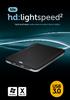 hdd enclosure caixa externa para disco rígido USER S GUIDE SPECIFICATONS HDD Support: SATA 2.5 Material: Aluminium and plastics Input connections: SATA HDD Output connections: USB 3.0 (up to 5.0Gbps)
ÍNDICE PORTUGUÊS INDEX ENGLISH
 ÍNDICE PORTUGUÊS 1. Características... 2 2. Conteúdo da Embalagem... 3 3. Como usar o Receptor de TV Digital... 3 4. Tela de Vídeo... 6 5.Requisitos Mínimos... 6 6. Marcas Compatíveis... 8 INDEX ENGLISH
Torre Purificadora de Ar MCP-
 Filtro de cartuchos compacto com pulsos de limpeza A torre de purificação de ar MCP-16 RC é um filtro de cartuchos compacto para limpeza e reciclagem do ar interior. A unidade filtrante compacta é fornecida
Wi-Fi Range Extender Add-on Device Quickstart Guide
 Wi-Fi Range Extender Add-on Device Quickstart Guide Model No. WRP1220 What s inside: 1x Wi-Fi Range Extender 1x Power Adapter All Home8 add-on devices have to work with Home8 systems. português Passo 1:
Tutorial para Phred/Phrap/Consed Tutorial
 Tutorial para Phred/Phrap/Consed Tutorial Preparando a estrutura de diretórios O pacote vem com um script phredphrap que permite rodar automaticamente todos os programas necessários. O script pode ser
LINK 2. Timeless Design Design Intemporel Diseño Intemporal. Simple Lines Lignes Simples Líneas simples. White Colour Couleur Blanc Color Blanco
 LINK DREAM LINE Design Intemporal Timeless Design Design Intemporel Diseño Intemporal Linhas Simples Simple Lines Lignes Simples Líneas simples Cor Branca White Colour Couleur Blanc Color Blanco FIL_02_2018
Manual de instruções para Caixa Coletora Johnson Pump
 Manual de instruções para Caixa Coletora Johnson Pump Em caso dúvidas na instalação após a leitura do manual, favor entrar em contato com nosso departamento técnico através do telefone: (11) 3477-5655
Uma solução possível para garantir, em ambiente APEX, a consistência duma estrutura ISA total e disjuntiva.
 Uma solução possível para garantir, em ambiente APEX, a consistência duma estrutura ISA total e disjuntiva. A possible solution to ensure, in APEX environment, the consistency of a total and disjunctive
de lo normal. A continuación, póngase en contacto con un electricista cualificado. Los datos antes mencionados podrán modificarse sin previo aviso par
 de lo normal. A continuación, póngase en contacto con un electricista cualificado. Los datos antes mencionados podrán modificarse sin previo aviso para introducir mejoras en el producto. 12 Limpar
Step by step to make the appointment at the Federal Police
 Step by step to make the appointment at the Federal Police Before you start, check if you have these documents with you: Visa Application Form; Birth Certificate (original); Passport; Brazilian home address
WATER MATTRESS MASSAGE SYSTEM 20439
 Page 1 of 10 WATER MATTRESS MASSAGE SYSTEM 20439 CONTENTS Massage System with Controller Please note: the above image shows a white unit and a blue unit. The white unit is supplied inside the blue unit
Delphi CD/MP3/USB/iPod /Aux/ Bluetooth /SAT Recievers
 Stereo Receiver XM Satellite Radio Ready Receiver Information included in this owner s manual was accurate at the time of publication. Delphi, however, reserves the right to make changes in product configuration
PRODUCT FAMILY DATASHEET SubstiTUBE PURE
 SubstiTUBE PURE Economic LED tubes for electromagnetic control gears AREAS OF APPLICATION Corridors, stairways, parking garages Cooling and storage rooms Warehouses Domestic applications General illumination
CODIGOS CONTROLE RS232 Matrix HDMI 4x2 Control EDID/RS232 (GB )
 CODIGOS CONTROLE RS232 Matrix HDMI 4x2 Control EDID/RS232 (GB.42.2014) Versão 2014.04.23 Você acaba de adquirir um produto AV LIFE!!! Não deixe de acessar nosso site www.avlife.com.br para ficar por dentro
Platinum Electric Griddle. Children should be supervised to ensure that they do not play with the appliance.
 Platinum Children should be supervised to ensure that they do not play with the appliance. 1 2 ELECTRIC GRIDDLE 1. Receptacle for power probe 2. Side handle 3. Non-stick heating plate 4. Power cable with
Blackwire 215/225. Auricular analógico com fios. Manual do Utilizador
 Blackwire 215/225 Auricular analógico com fios Manual do Utilizador Sumário Bem-vindo 3 Precisa de mais ajuda? 3 Conteúdo 4 Controlos em linha 5 Colocar o auricular 6 Ajuste do aro para a cabeça 6 Posicionar
SONDA CASCATA. Avisos preliminares CONTEÚDO FERRAMENTAS RECOMENDADAS NEXPOLAR
 SONDA CASCATA PT Avisos preliminares Estas instruções são parte integrante do manual do aparelho no qual o KIT é instalado. Consulte este manual para as ADVERTÊNCIAS GERAIS e REGRAS FUNDAMENTAIS DE SEGURANÇA.
Operator Manual Thermoplan AG, Subject to change REV-0
 1 Overview Control panel Foamer head Cup platform Liner pouch 8 Overview Heating basin Milk foam tube Level controller Milk container Cover Hood 9 Putting into operation Plug the appliance into a suitable
PREMIUM HI-FI Component System
 MX-HS8000 PREMIUM HI-FI Component System user manual imagine the possibilities Thank you for purchasing this Samsung product. To receive more complete service, please register your product at www.samsung.com/register
BVX-C910 CD/MP3/WMA/USB/SD/MMC/FM/AM PLAYER ESP ANTI-SHOCK SYSTEM RDS-TA/ PTY 160 WATT POWER DETACHABLE PANEL
 BVX-C910 CD/MP3/WMA/USB/SD/MMC/FM/AM PLAYER ESP ANTI-SHOCK SYSTEM RDS-TA/ PTY 160 WATT POWER DETACHABLE PANEL USER MANUAL AND INSTALLATION INSTRUCTIONS CD/MP3/WMA/USB/SD/MMC/FM/AM PLAYER SISTEMA ANTI-CHOQUE
Thank you for using Shepherd 240 Biometric Fingerprint Lock. Please read this Installation Manual carefully before attempting
 Preface Thank you for using Shepherd 240 Biometric Fingerprint Lock Please read this Installation Manual carefully before attempting to install your new lock. This manual covers installation procedures
!!!! Modelo BMP4828 MP4 player MANUAL DE UTILIZADOR
 Modelo BMP4828 MP4 player MANUAL DE UTILIZADOR Descrição 1. Menu 2. Anterior [] / Retroceder ["] 3. Próximo [#] / Avançar [$] 4. Volume 5. Play [%] / Pausa [&] 6. Entrada MICRO SD Card 7. Entrada para
1 WC System. Instrução Técnica Instrucción Técnica Technical Instruction
 WC System . WC SYSTEM Technical characteristics: Electro-pneumatic system The toilet mechanism works with pneumatic energy supplied by the chassis's pneumatic system. The water timer is done by a relay,
Rule Set Each player needs to build a deck of 40 cards, and there can t be unit of different faction on the same deck.
 Rule Set Each player needs to build a deck of 40 cards, and there can t be unit of different faction on the same deck. In a battle between two cards the wining card is the one that has more attack against
Versão: 1.0. Segue abaixo, os passos para o processo de publicação de artigos que envolvem as etapas de Usuário/Autor. Figura 1 Creating new user.
 Órgão: Ministry of Science, Technology and Innovation Documento: Flow and interaction between users of the system for submitting files to the periodicals RJO - Brazilian Journal of Ornithology Responsável:
SATA 3.5. hd:basic. hdd enclosure caixa externa para disco rígido
 SATA 3.5 hd:basic hdd enclosure caixa externa para disco rígido hd:basic USER S GUIDE SPECIFICATIONS HDD support: SATA 3.5 Material: Aluminium Input connections: SATA HDD Output connections: USB 2.0
DEH-X8550BT DEH-X7550SD
 CD RDS RECEIVER REPRODUCTOR DE CD CON RECEPTOR RDS CD PLAYER COM RDS CD RDS 接收機 مشغل اسطوانات CD مع راديو RDS دستگاه گیرنده CD RDS DEH-X8550BT DEH-X7550SD Owner s Manual Manual de instrucciones Manual
Wi-Fi Camera Add-on Device Quickstart Guide
 Wi-Fi Camera Add-on Device Quickstart Guide Model No. IPC1200 What s inside: 1x Wi-Fi Camera 1x Power Adapter 1x Extension Cable Mounting Accessories All Home8 add-on devices have to work with Home8 systems.
Futebol em Transmissão. Football is on the Air.
 Futebol em Transmissão. Football is on the Air. Estamos prontos. We re ready. Informação sobre a gestão do espectro n0 UEFA Euro 2004. Information on spectrum management during UEFA Euro 2004. Entre em
SONDA DE ÁGUA QUENTE SANITÁRIA
 SONDA DE ÁGUA QUENTE SANITÁRIA PT Avisos preliminares Estas instruções são parte integrante do manual do aparelho no qual o KIT é instalado. Consulte este manual para as ADVERTÊNCIAS GERAIS e REGRAS FUNDAMENTAIS
CRIMP OD & PRODUCT GUIDE HOSE ID
 .50 0.58 0.660.049 05022C50** E05C E05E 0.60 0.676.049 05022CS** 05C 05E 0.62 0.692.049 (.688 ) CF50C CF50E 0.64 0.707.049 05024C50** 0.66 0.723.049 05024CS** 0.68 0.738.049 (.750 ) 0.70 0.754.049 05026C50**
MANUAL DE INSTRUÇÕES RELÓGIOS GUESS 1 FEMININOS
 MANUAL DE INSTRUÇÕES RELÓGIOS GUESS 1 FEMININOS FEMININOS 2 FEMININOS Parabéns pela aquisição do seu novo relógio GUESS. Desenvolvido com tecnologia avançada de eletrônicos, o mecanismo é manufaturado
Mp5 player de carro. Operação Manual 4.0 TFT 1080P AP-4011CRB AP-4012CRB
 AP-4012CRB Mp5 player de carro AP-4011CRB Operação Manual 4.0 TFT 1080P AP-4011CRB AP-4012CRB 4.0 TFT 1080P SD Prefácio A fim de evitar lesões e incêndios PLS prestar atenção às seguintes instruções: A
Receitas na Pressão - Vol. 01: 50 Receitas para Panela de Pressão Elétrica (Portuguese Edition)
 Receitas na Pressão - Vol. 01: 50 Receitas para Panela de Pressão Elétrica (Portuguese Edition) Click here if your download doesn"t start automatically Receitas na Pressão - Vol. 01: 50 Receitas para Panela
CANape/vSignalyzer. Data Mining and Report Examples Offline Analysis V
 CANape/vSignalyzer Data Mining and Report Examples Offline Analysis V16.0 2018-07-30 Offline Evaluation Tools On-line Tools CANalyzer. Messages CANoe. Messages CANape. Signals Off-line Tools vsignalyzer
CODIGOS CONTROLE RS232 Matrix HDMI 4x4 Control EDID/RS232 (GB )
 CODIGOS CONTROLE RS232 Matrix HDMI 4x4 Control EDID/RS232 (GB.44.2014) Versão 2013.05.21 Você acaba de adquirir um produto AV LIFE!!! Não deixe de acessar nosso site www.avlife.com.br para ficar por dentro
Métodos Formais em Engenharia de Software. VDMToolTutorial
 Métodos Formais em Engenharia de Software VDMToolTutorial Ana Paiva [email protected] www.fe.up.pt/~apaiva Agenda Install Start Create a project Write a specification Add a file to a project Check syntax